Gemini AI Photo Prompt Copy Paste – Complete Guide
Artificial Intelligence is changing the way people create images online. With tools like Google Gemini AI, anyone can generate cinematic photos, anime art, realistic portraits, futuristic wallpapers, and social media content in seconds.
If you are searching for the best Gemini AI photo prompt copy paste ideas, then this guide will help you create professional-quality AI images easily. You don’t need advanced editing skills or expensive software. Just copy a prompt, paste it into Gemini AI, and generate amazing visuals instantly.
In this article, you will get:
- Ready-to-use Gemini AI prompts
- Realistic photo prompts
- Anime prompts
- Cinematic prompts
- Instagram-style AI prompts
- 3D character prompts
- Thumbnail prompts
- SEO tips for AI images
What is Gemini AI?
Google Gemini AI is an advanced AI platform developed by Google that can generate text, images, ideas, and creative content. Users can create stunning AI-generated images simply by writing detailed prompts.
A good prompt helps Gemini AI understand:
- Lighting
- Camera angle
- Art style
- Mood
- Colors
- Background
- Facial expressions
- Image quality
The more detailed your prompt is, the better your AI image becomes.
Best Gemini AI Photo Prompt Copy Paste Ideas
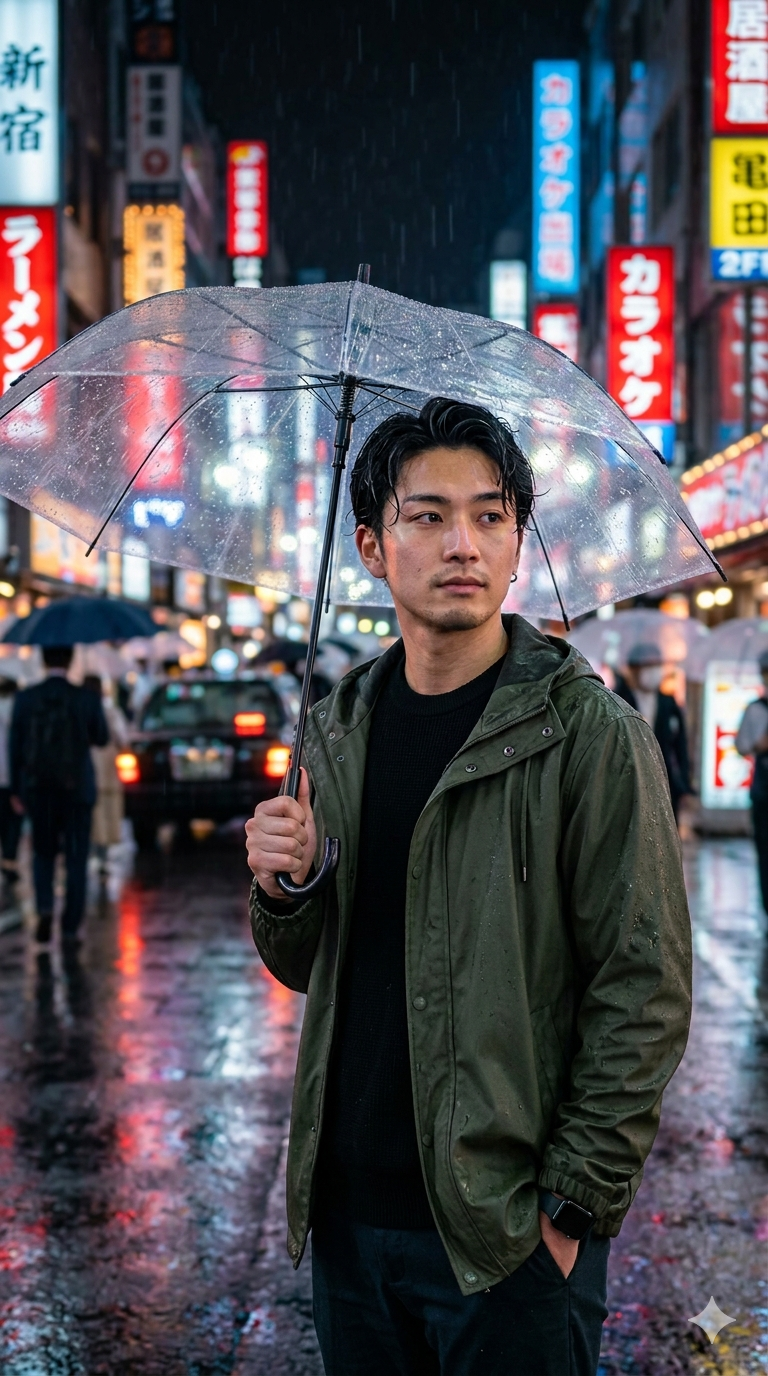
1. Realistic Portrait Prompt
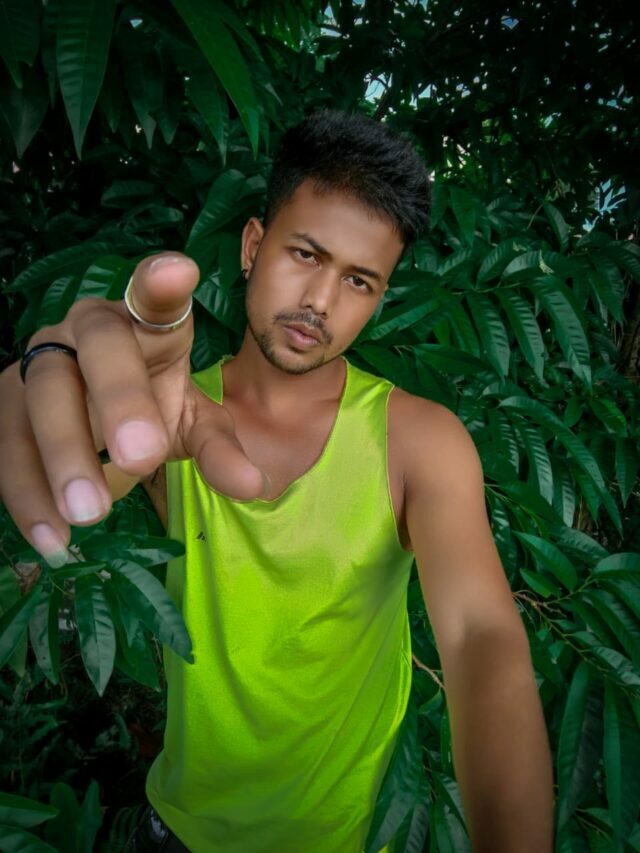
Ultra realistic portrait of a young man standing on a rainy street in Tokyo at night, cinematic lighting, sharp facial details, soft skin texture, DSLR quality, neon reflections, shallow depth of field, 8K ultra HD
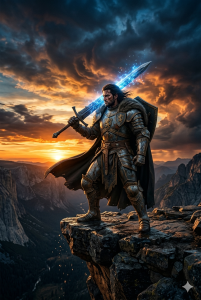
2. Cinematic Hero Prompt
A cinematic photo of a powerful warrior standing on a mountain cliff during sunset, dramatic clouds, glowing sword, ultra realistic, movie poster style, orange and blue color grading, highly detailed
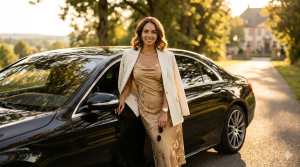
3. Instagram Model Prompt
Beautiful Instagram model posing near a luxury car, golden hour lighting, realistic skin texture, fashion photography style, blurred background, high detail, DSLR camera effect
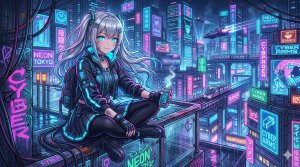
4. Anime Style Prompt
Cute anime girl with silver hair sitting in a futuristic cyberpunk city, neon lights, glowing eyes, detailed anime art style, vibrant colors, trending on ArtStation
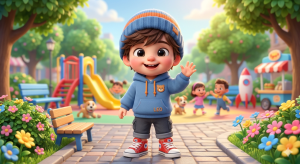
5. 3D Chibi Character Prompt
3D cute chibi boy wearing hoodie and sneakers, smiling expression, soft lighting, Pixar style, colorful background, ultra detailed, adorable cartoon look
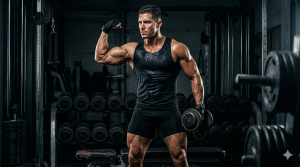
6. Fitness Transformation Prompt
Muscular fitness model in gym, dramatic lighting, sweat details, ultra realistic body physique, fitness photography style, dark background, 8K quality
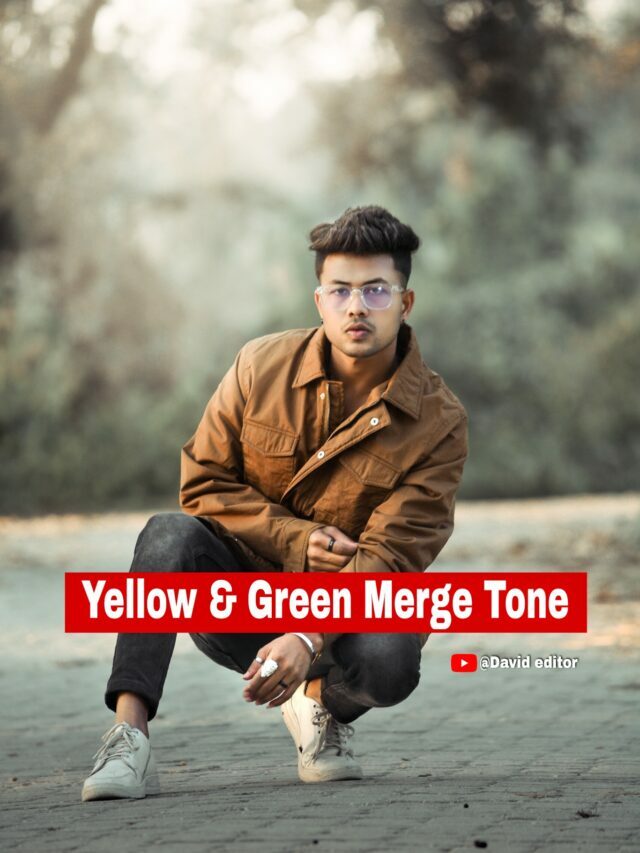
7. Luxury Lifestyle Prompt
Luxury lifestyle photo of a businessman in Dubai standing near a supercar, modern city background, expensive suit, cinematic shadows, ultra realistic photography


8. Nature Wallpaper Prompt
Beautiful waterfall in a fantasy forest, glowing plants, magical atmosphere, cinematic sunlight, ultra detailed nature wallpaper, 8K fantasy art
9. AI Couple Photo Prompt
Romantic couple walking under cherry blossom trees, sunset lighting, cinematic atmosphere, realistic emotions, soft color tones, highly detailed
10. Viral Thumbnail Prompt
YouTube thumbnail style image of a shocked man looking at futuristic AI robot, bright colors, dramatic expression, high contrast, viral thumbnail design
Advanced Gemini AI Prompt Formula
You can create your own prompts using this simple structure:
Subject + Background + Lighting + Camera Style + Mood + Quality
Example:
A stylish boy standing in New York street, neon lights, cinematic lighting, DSLR photography, moody atmosphere, ultra realistic, 8K
This formula helps generate professional-quality AI images every time.
Best Prompt Styles for Gemini AI
Cinematic Style
Use words like:
- cinematic lighting
- movie poster
- dramatic shadows
- film look
- orange and teal color grading
Realistic Photography Style
Use:
- DSLR quality
- ultra realistic
- skin texture
- depth of field
- sharp focus
Anime Style
Use:
- anime art style
- Studio Ghibli inspired
- vibrant colors
- manga shading
3D Cartoon Style
Use:
- Pixar style
- Disney style
- 3D render
- soft lighting
Tips to Create Better AI Images
1. Add Lighting Details
Lighting changes the entire mood of your image.
Examples:
- soft lighting
- neon lighting
- golden hour
- cinematic lighting
2. Mention Camera Quality
Use:
- DSLR photo
- 8K
- ultra HD
- sharp focus
3. Describe the Background
Instead of writing “background,” explain the environment.
Example:
busy Tokyo street with neon signs and rain reflections
4. Add Emotion
Emotion makes AI photos look realistic.
Examples:
•smiling
•emotional
•confident
•serious face
⸻
Why Gemini AI Prompts Are Going Viral
AI-generated images are trending across:
•YouTube
•TikTok
•Blogging websites
Creators are using Gemini AI to:
•Create thumbnails
•Design wallpapers
•Make anime art
•Generate profile pictures
•Produce cinematic social media posts
The biggest advantage is speed. Instead of spending hours editing photos, users can create stunning visuals in seconds.
⸻
Best Use Cases of Gemini AI Image Prompts
| Use Case | Benefits |
| YouTube Thumbnails | Viral click-through rate |
| Instagram Posts | Attractive content |
| Blog Images | Better engagement |
| Wallpapers | High-quality visuals |
| AI Art | Creative designs |
| Gaming Avatars | Unique profile pictures |
Future of AI Image Generation
AI tools like Google Gemini AI are becoming more advanced every year. In the future, creators may generate:
•Full movies using AI
•Professional photography without cameras
•Realistic virtual influencers
•AI-generated advertisements
•Interactive 3D worlds
AI image generation is not just a trend — it is becoming a major part of digital content creation.
⸻
Conclusion
If you want amazing AI-generated visuals, using the right Gemini AI photo prompt copy paste ideas is extremely important. A detailed prompt helps Gemini AI understand your imagination and convert it into professional-quality images.
Whether you want:
•Realistic portraits
•Anime art
•Cinematic wallpapers
•Viral thumbnails
•Luxury lifestyle images
Gemini AI can generate them within seconds.
Start experimenting with different prompt styles, lighting effects, and creative ideas to make your AI images stand out from the crowd.